Mom Off Track

Helpful Finds for Real Everyday Life

  • Crafty Side
    • Projects
    • Recipes
  • Travel
    • Recent Travel
    • Accessible Winter Family Travel
    • Disability Related Travel
    • Spa Reviews
    • Travel Tips & Recommendations
    • Traveling To Disney With a Wheelchair
  • About Me/Contact
You are here: Home / Travel / How To Minimize Data Use On Your Next Cruise

How To Minimize Data Use On Your Next Cruise

December 6, 2016 by barb

We may earn money or products from the companies mentioned or linked to in this post. As an Amazon Associate, I earn from qualifying purchases.

Are you taking a cruise on one of the many lines that still doesn’t provide unlimited wifi use? Yikes. Those plans can be expensive. For example, here are the current data charges for the last Disney cruise I took in on the Wonder in November of 2016 and the Fantasy in August of 2016.  But there are ways to minimize your data usage on your next cruise and these tips I picked up on my latest cruise will show you how.
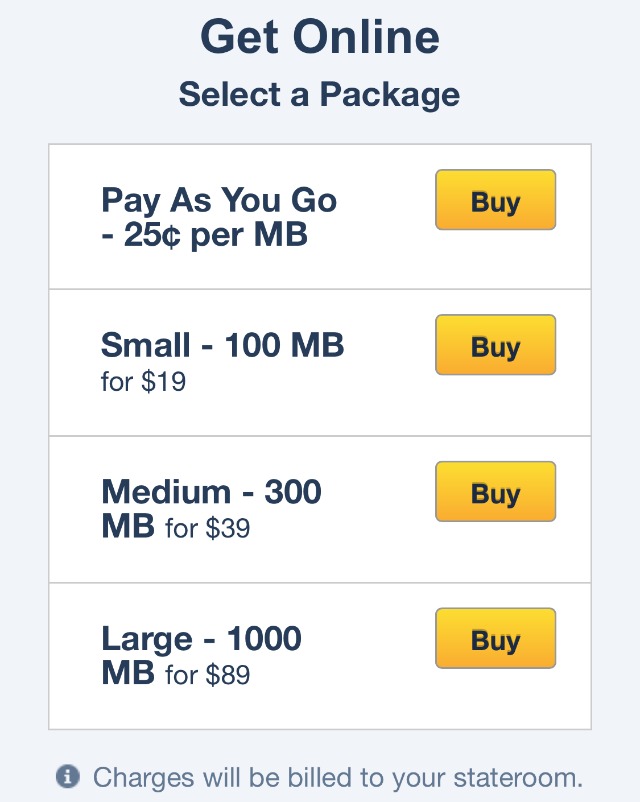
Disney Cruise Line wifi prices Save

how to minimize data on a cruise Save

Minimize Your Data on an iPhone or iPad:

Step 1: Settings-General-Background App Refresh – turn OFF

Minimize data use on a cruise step 1: turn off iphone background app refresh Save


Step 2: iTunes & App Store-Updates OFF. Music OFF, Apps OFF
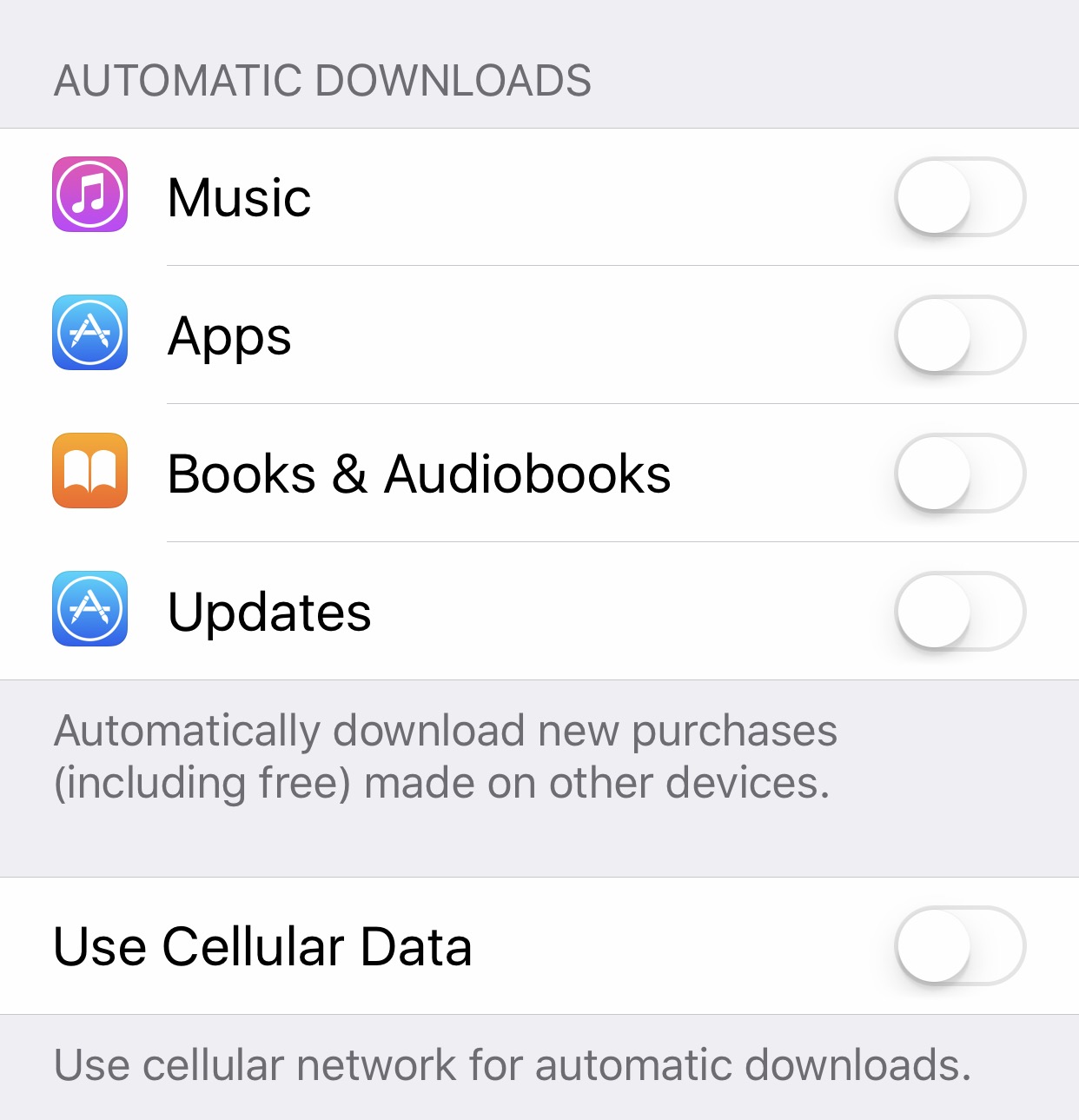
Minimize data use on a cruise step 2: turn off iphone automatic downloads Save


Step 3: Settings-Battery-Low Power Mode-turn ON 

Your battery indicator will turn yellow
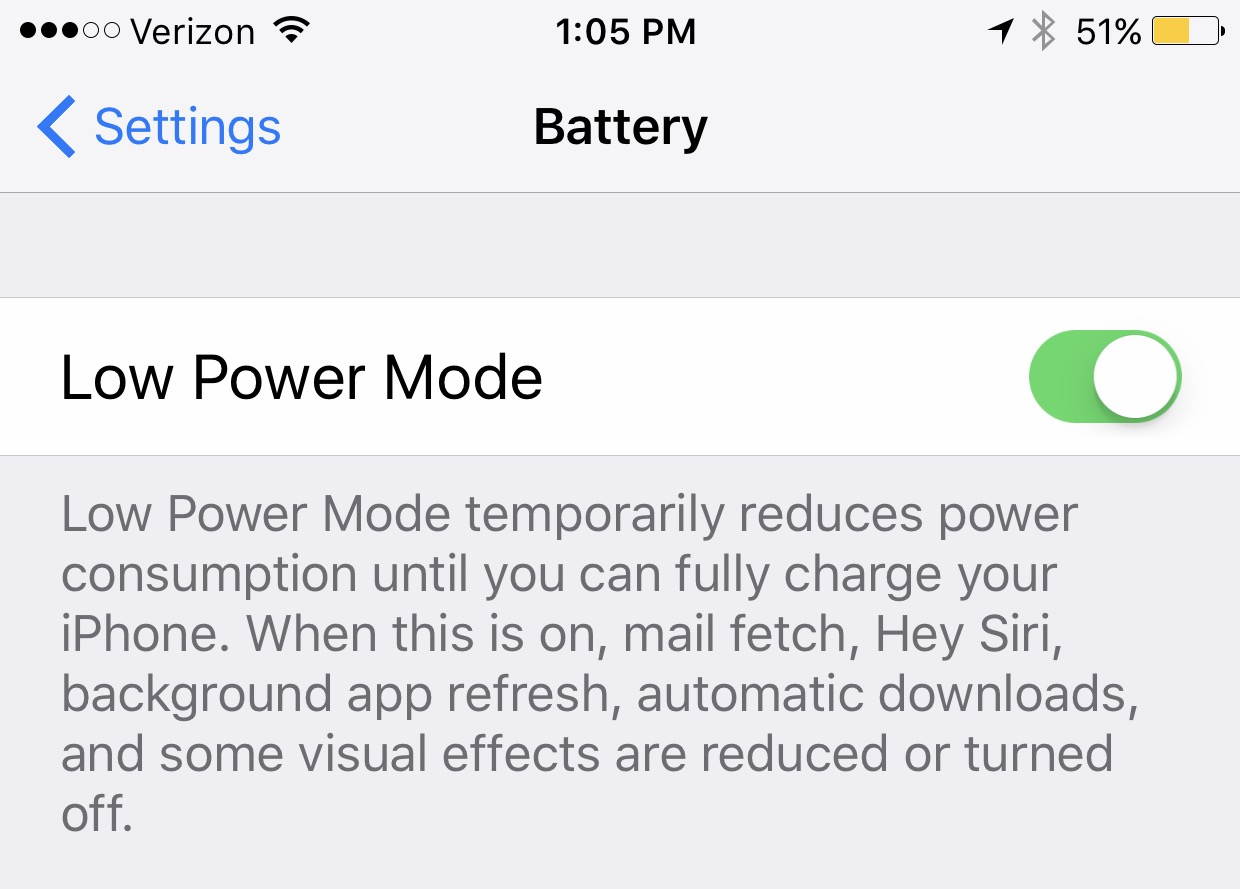
Minimize data use on a cruise step 3: put iphone battery in low power mode Save


Step 4: Settings-iCloud-Backup-iCloud Backup-turn OFF
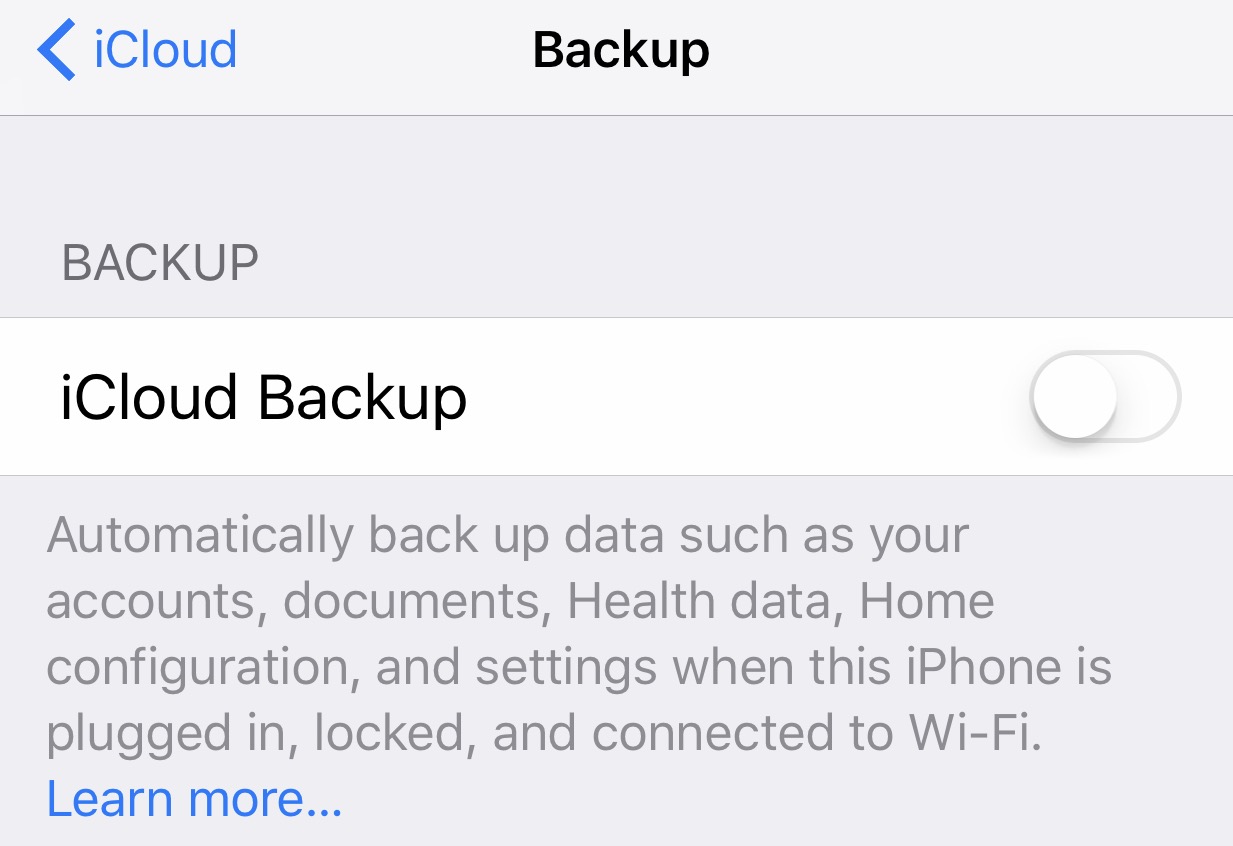
Minimize data use on a cruise step 4: turn off icloud backup Save


Step 5: Settings-iCloud-Photos-iCloud Photo Library-turn OFF & My Photo Stream-turn OFF

I forgot this one and my phone sucked about 500 mbs of data in about 20 mins trying to upload all my trip photos
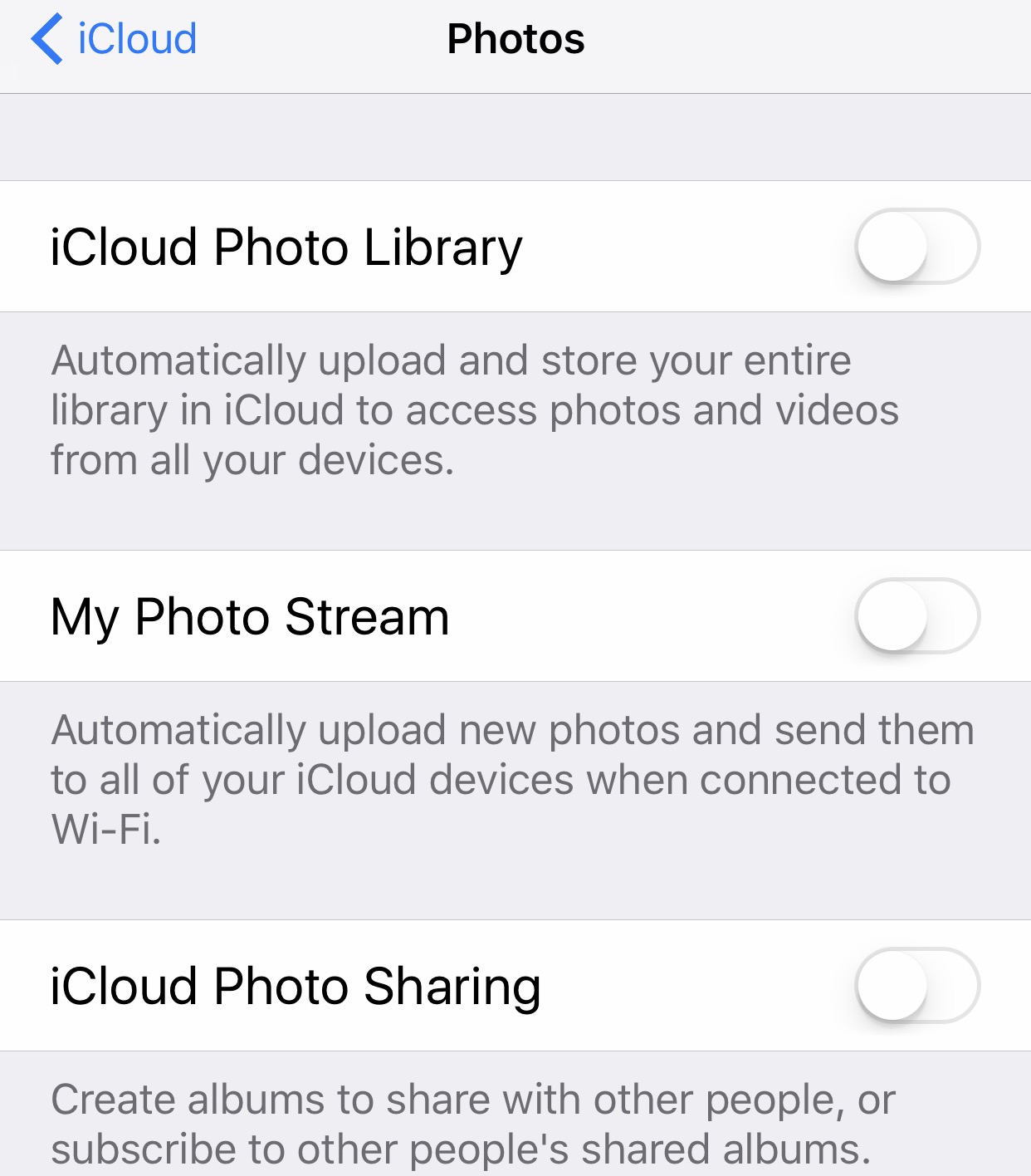
Minimize data use on a cruise step 5: turn off icloud photo library Save


Step 6: Double Click on the “HOME BUTTON” (the circle on the bottom of your phone) and when the open apps appear, slide up to hard close them all.
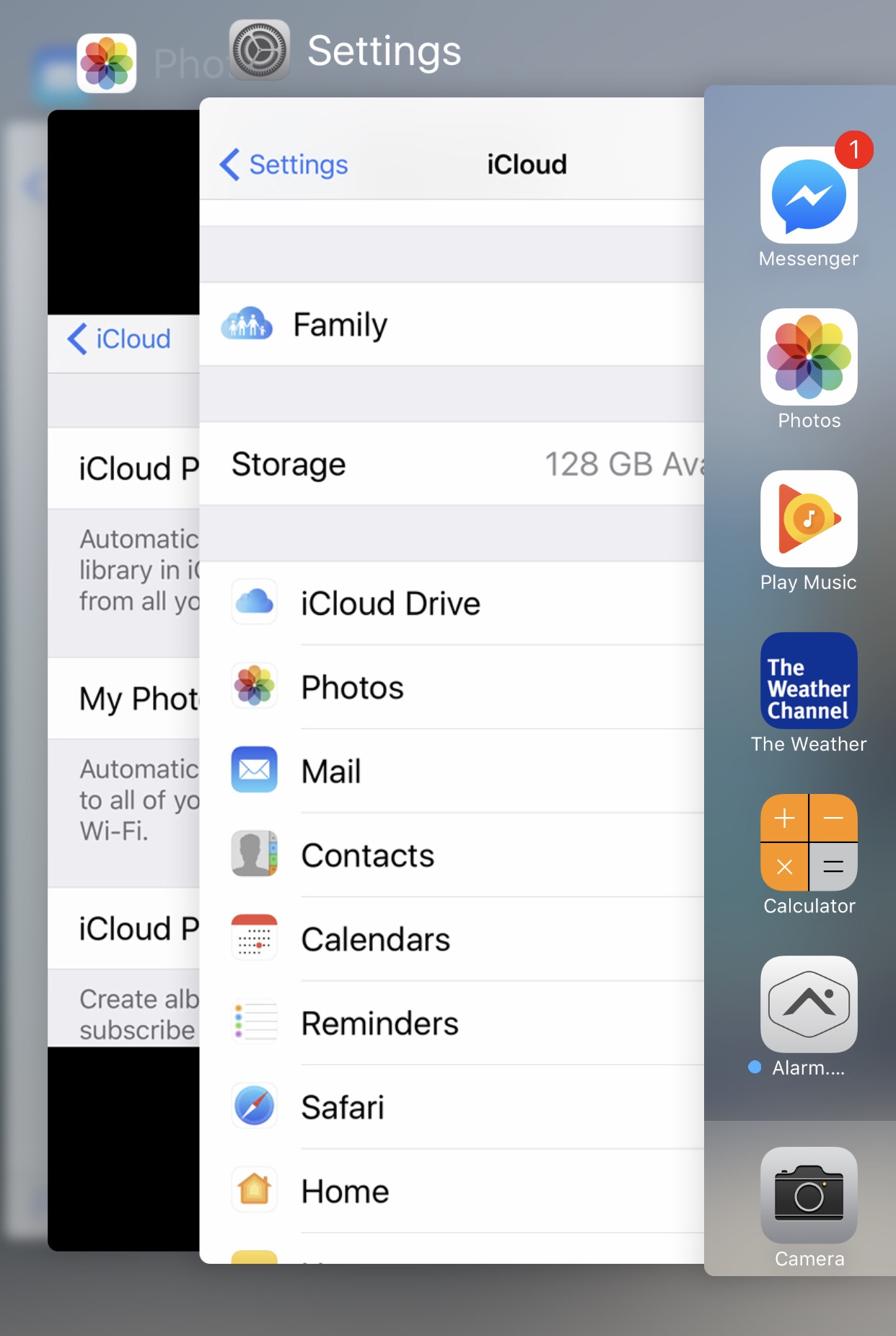
Minimize data usage on iphone by hard closing all apps Save


Minimize Your Data on an Android:

Step 1: Tap on Play Store-Tap on the three lines in the top left-scroll down to Settings-Tap on Auto-update apps-select DO NOT AUTO UPDATE APPS
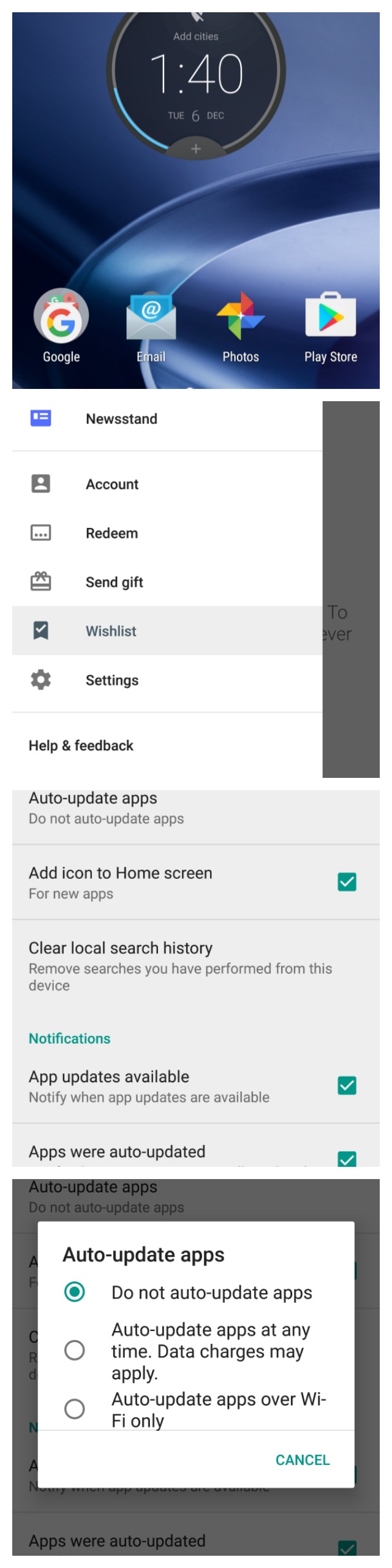
minimize data for cruise on android step 1-do not auto update apps Save

Step 2: Settings-Accounts-Turn Off Auto Sync
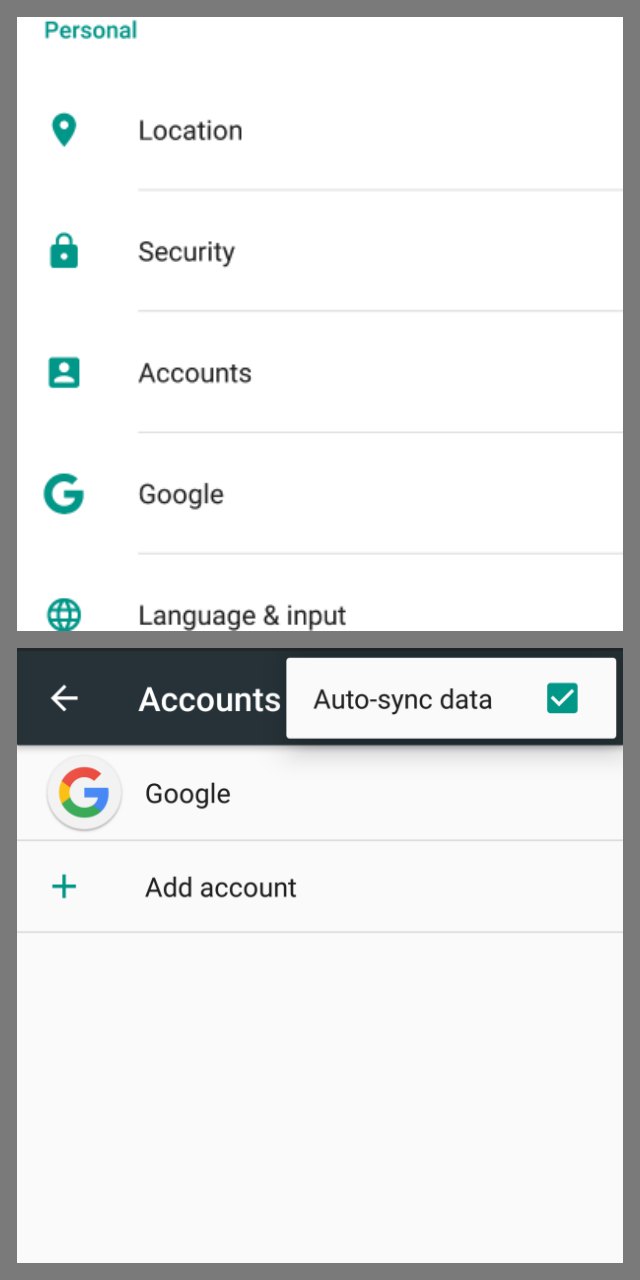
cruise on android step 2-turn off auto sync Save


Step 3: Settings-Apps-Select each app you want to disable and press FORCE STOP
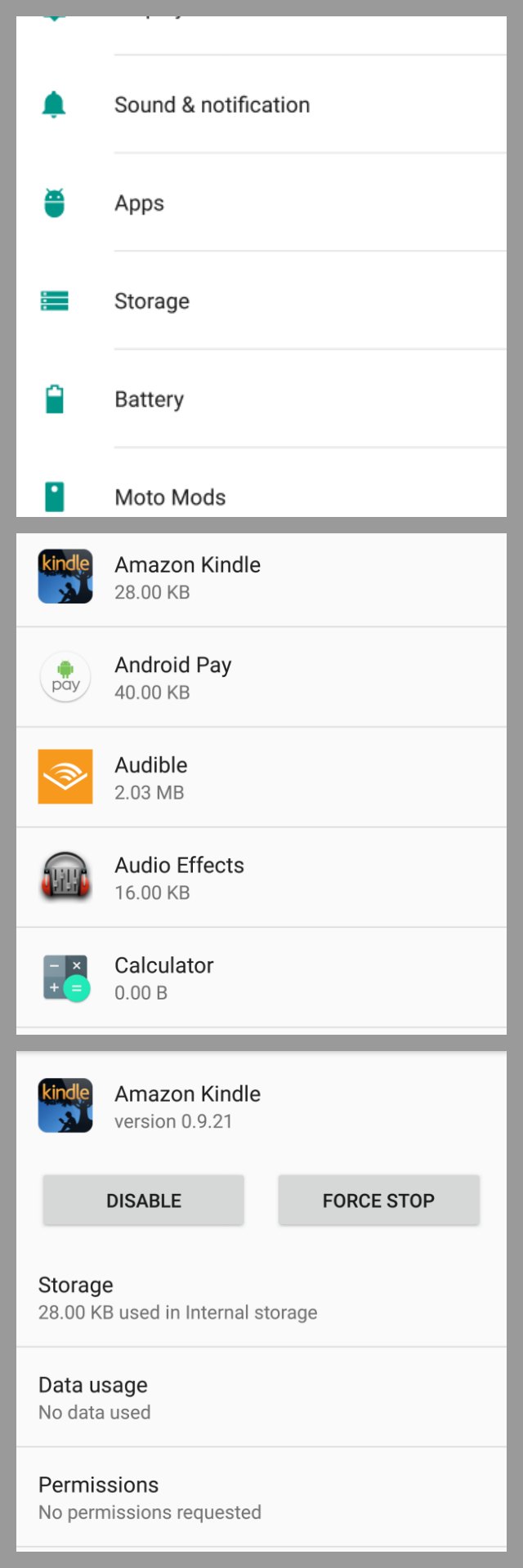
minimize data for cruise on android step 3-force stop apps Save

Step 4: Hold or double press the hold button (or Running Apps button depending on your model) to make all your running apps appear. Disable those by swiping each running app to the right or left. 

It may be cheaper to use your cell phone plan over a ship wifi plan. I would encourage you to check all the current pricing on International Plans and Cellular at Sea prices through Verizon* to compare which works out better in your favor.

*Disclaimer: I am a compensated member of the Verizon National Blogging Team #VZWBuzz

You Might Also Like This:

  • These Mickey Mouse light up hands with finger lights are so easy to make. Perfect for Disney parties and Fish Extender gifts.
    Mickey Mouse Hands With Finger Lights
  • Need some Disney Cruise Door Decorations? Here is where to buy them or make them
    Disney Cruise Door Decoration Ideas
  • Disney's Cruise Ship The Fantasy at Castaway Cay
    Bit By the Photo Bug
  • 5 little known disney cruise tips
    5 Little Known Disney Cruise Tips For An Amazing Vacation
  • Here are some amazing fish extender ideas.
    Disney Cruise Fish Extender Gift Ideas
  • This diy nail strengthener with essential oils is easy to make and works great on nails and cuticles.
    DIY Nail Strengthener

Filed Under: Travel Tagged With: #vzwbuzz, tech, travel tips

« DIY Great Oily Photos
Disney Cruise Door Decoration Ideas »

Affiliate Disclosures

As an Amazon Associate, I earn from qualifying purchases.

Can I Help You Find Something?

Lately, I’ve been blabbing on about…

  • Easy Teacher Appreciation Gift Ideas Teachers Will Love
  • Its Been a Minute…
  • Best Pumpkin Bread Recipe
  • Gooey Carmelita Bars
  • 🐾 Best Puppy Toys for Giant Breeds (Tested With a Leonberger Puppy)

Cookies, YUM!

Just so you know this site uses cookies. Please read my Privacy Policy so you fully understand how I use them. Continued use of the site implies consent.

© 2026 · Indigo Ink, LLC ALL RIGHTS RESERVED ·

Go to mobile version